In Call of Duty Mobile (CODM), your aim can mean the difference between victory and defeat. Whether you’re grinding ranked matches or battling in multiplayer modes, accuracy and reaction speed are what separate pros from casual players. Improving your aim isn’t just about raw reflexes—it’s about understanding mechanics, sensitivity, and consistent practice. Here’s a complete guide to help you sharpen your aim and dominate every firefight.
1. Find Your Perfect Sensitivity Settings
Your sensitivity settings are the foundation of good aim. COD Mobile offers several types of sensitivity controls:
-
Camera Sensitivity – controls how fast your view moves when looking around.
-
ADS Sensitivity (Aim Down Sight) – affects movement speed while aiming.
-
Gyroscope Sensitivity – if you use the phone’s motion sensors for aiming.
Start by experimenting in the training range. Many pro players recommend:
-
Low to medium camera sensitivity for precision, especially with ARs (Assault Rifles).
-
Higher ADS sensitivity for faster target tracking with SMGs.
-
If using a gyroscope, adjust it until you can comfortably control recoil without overcompensating.
Remember: consistency is key. Once you find a setup that feels natural, don’t change it frequently. Mastery comes with repetition.
2. Enable “Advanced Mode” Controls
If you’re still using “Simple Mode,” it’s time to switch. Advanced Mode gives you manual control over shooting, letting you aim before firing—crucial for improving precision.
You can also customize the HUD layout to match your playstyle. For example:
-
Move the fire button near your thumb area for faster reaction time.
-
Resize or reposition buttons for better comfort and fewer mis-taps.
Fine-tuning your controls ensures your fingers naturally reach the fire, crouch, and aim buttons, helping you respond faster during fights.
3. Practice Recoil Control
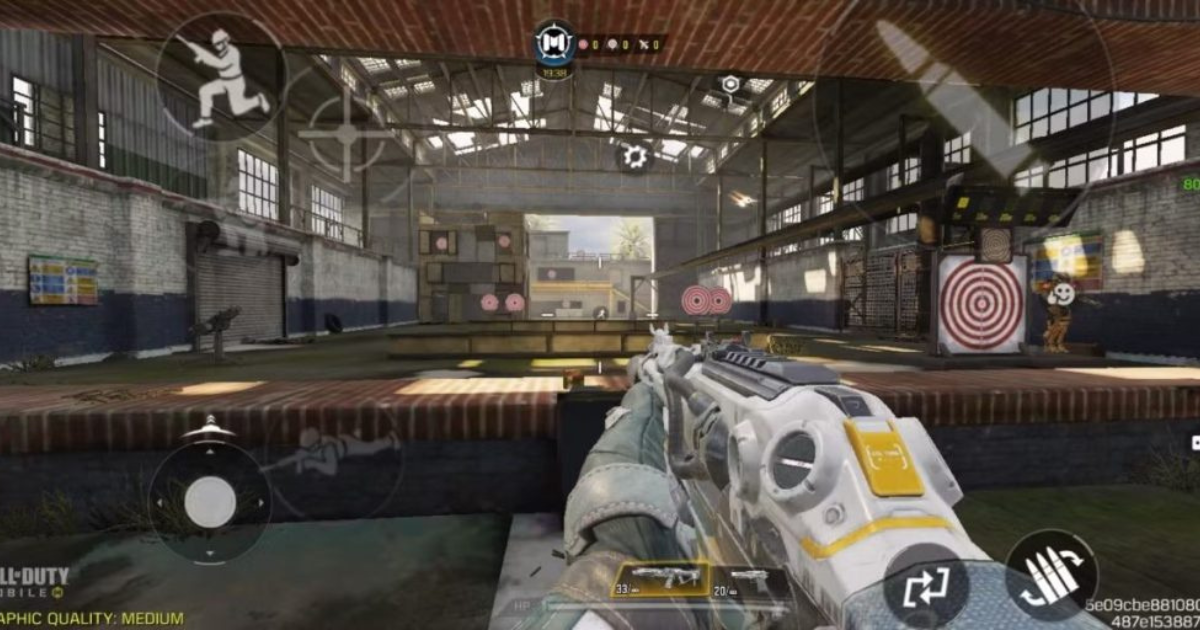
Each weapon in COD Mobile has a unique recoil pattern. Learning these patterns will instantly boost your accuracy. Head to the Practice Range and fire short bursts at targets. Notice how your crosshair moves upward or sideways—that’s the recoil pattern.
Tips for managing recoil:
-
Drag your aim slightly downward while firing automatic weapons.
-
Use attachments like the Foregrip or Compensator to reduce recoil.
-
Crouching or going prone while shooting improves weapon stability.
With time, recoil control becomes second nature and keeps your shots consistently on target.
4. Train with the Right Weapons
Don’t switch weapons too often while learning to aim. Focus on mastering one or two primary weapons. Good beginner-friendly guns include:
-
ASM10 or M4 – for balanced accuracy and manageable recoil.
-
PP19 Bizon – for close-range fights with excellent stability.
-
DL Q33 (Sniper) – to practice headshots and precision aim.
Learn the gun’s effective range, bullet spread, and ADS speed. Once you’re comfortable, your aim will improve across all weapon classes.
5. Use the Training Ground Daily
COD Mobile’s training ground isn’t just for beginners—it’s a tool even pros use daily. Spend 10–15 minutes before each session to:
-
Practice quick-scoping and target switching.
-
Test recoil control with different weapons.
-
Work on reflex shooting using moving targets.
Over time, you’ll develop muscle memory, making your aim smoother and more accurate during actual matches.
6. Take Advantage of Gyroscope Controls
If your device supports it, use gyroscope aiming. It allows you to fine-tune your aim by tilting your phone slightly, offering more precision than touch-only control. It may take a few sessions to get used to, but it’s incredibly effective for snipers and long-range fights.
7. Improve Your Movement and Positioning
Good aim means nothing if you’re constantly out of position. Practice strafing (moving left and right while shooting) to make yourself harder to hit, and learn peek-and-shoot techniques for cover fights. Always aim at head or upper body level when entering a room—this drastically improves your time-to-kill in close combat.
8. Stay Consistent and Review Gameplay
Record your matches or use COD Mobile’s replay system to identify where your aim falters. Are you over-aiming? Missing due to poor recoil control? Awareness helps you fix mistakes faster.
Consistency is the secret ingredient—dedicate short but regular practice sessions daily rather than long, irregular ones.
Final Thoughts
Improving your aim in Call of Duty Mobile is a gradual process that combines practice, settings optimization, and game sense. By finding the right sensitivity, mastering recoil control, and training regularly, you’ll soon see major progress in your accuracy and kill count.
So grab your loadout, fine-tune those settings, and hit the battlefield—because in COD Mobile, precision is power.